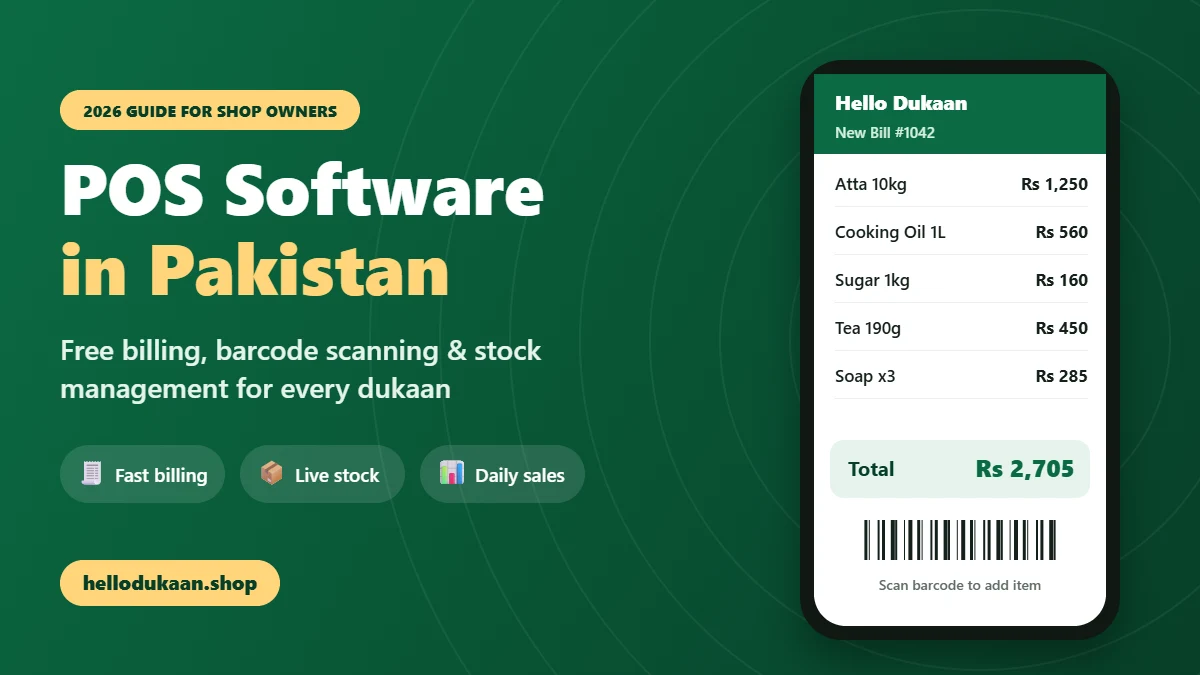
If you are searching for the best POS software in Pakistan, you are not alone. Thousands of kiryana stores, mobile shops, pharmacies, cosmetics shops and general stores are moving from the old khata register to a simple billing app on their phone. The reason is simple: faster billing, accurate totals, and complete control over stock and sales.
In this guide, we explain what POS software is, why every dukaan needs it, which features matter most, how much it costs, and how you can start using free POS software in Pakistan today with Hello Dukaan.
Table of Contents
What Is POS Software?
POS stands for point of sale, the exact moment when a customer pays you. Point of sale software is a digital system that records every sale, calculates the bill, gives the customer a receipt, and updates your stock automatically.
In simple words, POS software in Pakistan does the work of your register, your calculator and your stock notebook at the same time, without mistakes and without extra effort.
A modern POS system for small business usually includes:
- Billing: add items by scanning a barcode or QR code and get the total in seconds
- Inventory management: stock goes down automatically with every sale
- Sales reports: see daily, weekly and monthly sales without counting by hand
- Receipts: print the bill on a small thermal printer or share it digitally
- Product catalogue: all items, prices and categories saved in one place
Earlier, POS systems needed an expensive computer, a cash drawer and a technician to install them. Today, good POS software in Pakistan runs on the smartphone you already have.
Why Shop Owners Need POS Software in Pakistan
Pakistan’s retail market is changing fast, and POS software in Pakistan is becoming a basic need, not a luxury. Customers now expect quick service, correct bills and the option to find shops online. Here are seven powerful benefits of switching to POS software.
1. Faster Billing and Shorter Queues
Adding 15 items on a calculator during evening rush is slow and stressful. With billing software for your shop, you simply scan each item and the price appears automatically. The bill is ready in seconds, the queue moves quickly, and customers leave happy.
2. Zero Calculation Mistakes
A single wrong total can mean a loss for you or an angry customer. POS software calculates every bill correctly, every time, so you never lose money because of a tired mind at the end of a long day.
3. Live Stock Management
How often has a customer asked for an item, and you found out it had already finished? An inventory management system reduces stock with every sale, so you always know what is left and can reorder before you run out.
4. Know Your Real Profit
Most small shop owners guess their daily earnings. POS software keeps a record of every sale, so you see the real numbers. You learn which products sell fast and which ones simply sit on the shelf.
5. Safe Records Instead of a Torn Register
Paper registers get lost, torn or wet, and sometimes only one person can read the handwriting. Digital sales records stay safe and you can check them anytime from your phone.
6. Better Control When You Are Away
If a family member or worker runs the counter, POS software shows you exactly what was sold and when. This builds trust and gives you peace of mind.
7. Bring New Customers Online
Today, customers search on their phones before they visit a shop. The right POS software in Pakistan can also give your dukaan an online shop page, so nearby customers discover your products and contact you on WhatsApp.
8 Signs Your Shop Needs POS Software Today
Not sure if it is the right time to switch? If you notice even two or three of these signs in your shop, it is time to start using POS software in Pakistan:
- Customers often wait in a queue while you add bills on a calculator
- The cash in your drawer rarely matches your register at night
- You regularly discover that popular items have finished only when a customer asks
- You cannot tell which products give you the most profit
- Old registers are piling up and finding an old entry takes too long
- Workers handle the counter and you are not sure about the exact sales
- New housing societies and customers nearby do not know your shop exists
- You spend your evening counting sales instead of resting with your family
Every one of these problems has a simple solution. A mobile POS app like Hello Dukaan handles billing, stock and sales records automatically, so you can focus on serving customers and growing your business. The earlier you switch, the sooner you stop losing money to small daily mistakes that nobody notices.
Remember, modern POS software in Pakistan is no longer only for big supermarkets and chain stores. Free and mobile-first apps have made it available to every corner shop, and the dukaans that adopt it early will have a clear advantage over the competition in their area.
A Day at a Kiryana Store: With and Without POS Software
To understand the real difference, imagine two kiryana stores on the same street.
Shop A uses a khata register. In the morning, the owner opens the shop and has no exact idea how much sugar, oil or tea is left. A customer asks for a specific biscuit pack, and after searching for a few minutes, the owner realises it has finished. In the evening, a crowd arrives. Every bill is added on a calculator, and twice the total comes out wrong. At night, the cash in the drawer does not match the register, and the owner spends half an hour trying to find the mistake.
Shop B uses POS software in Pakistan built for small shops. In the morning, the owner checks the phone and sees that cooking oil is running low, so a reorder is placed before lunch. During the evening rush, items are scanned and bills are ready in seconds. At closing time, the app already shows total sales for the day, the best-selling products and the remaining stock. The owner goes home on time.
Both shops sell similar products, but Shop B saves time, avoids losses and gives customers a better experience every single day. Over a month, that difference becomes very large.
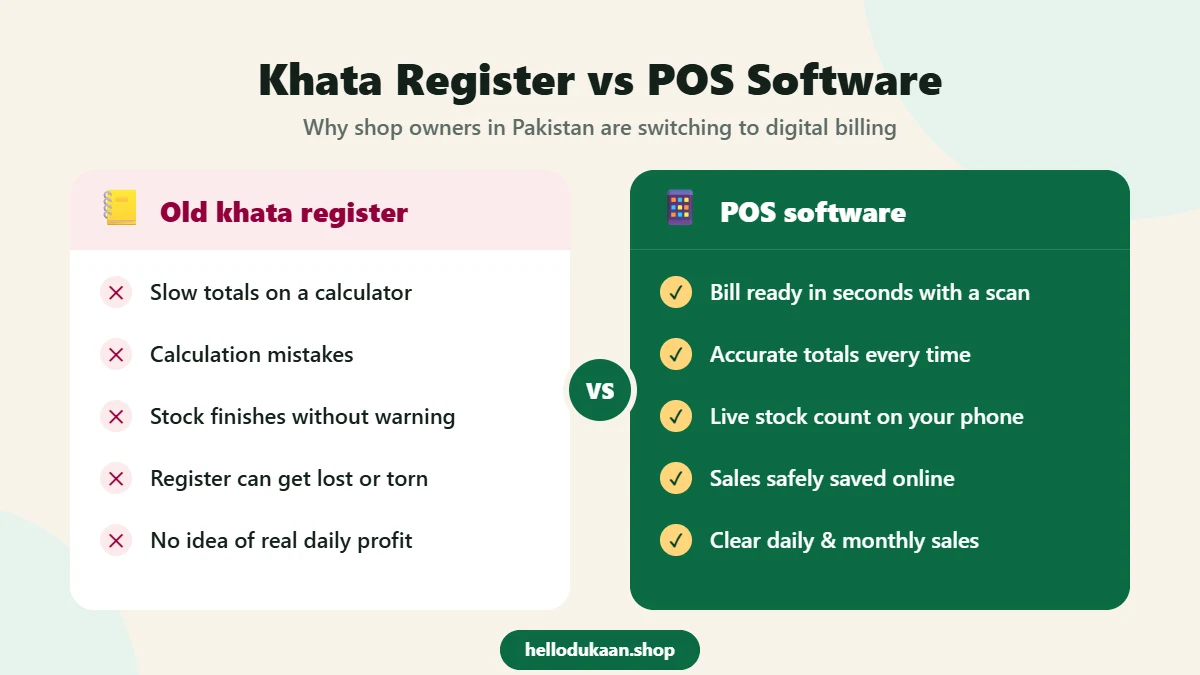
Manual Billing vs POS Software: Quick Comparison
| Task | Khata register and calculator | POS software |
|---|---|---|
| Making a bill | Slow, item by item | Seconds, with a scan |
| Accuracy | Mistakes are common | Correct every time |
| Stock tracking | Guesswork | Live count on your phone |
| Daily sales total | Counted by hand at night | Ready automatically |
| Record safety | Paper can be lost or damaged | Saved digitally |
| Online customers | Not possible | Shop page and marketplace |
Must-Have Features of the Best POS Software in Pakistan
Not every POS is made for a Pakistani dukaan. Many systems are designed for big supermarkets or foreign markets. They can be expensive, complicated, or need a computer. Before you choose, check these features.
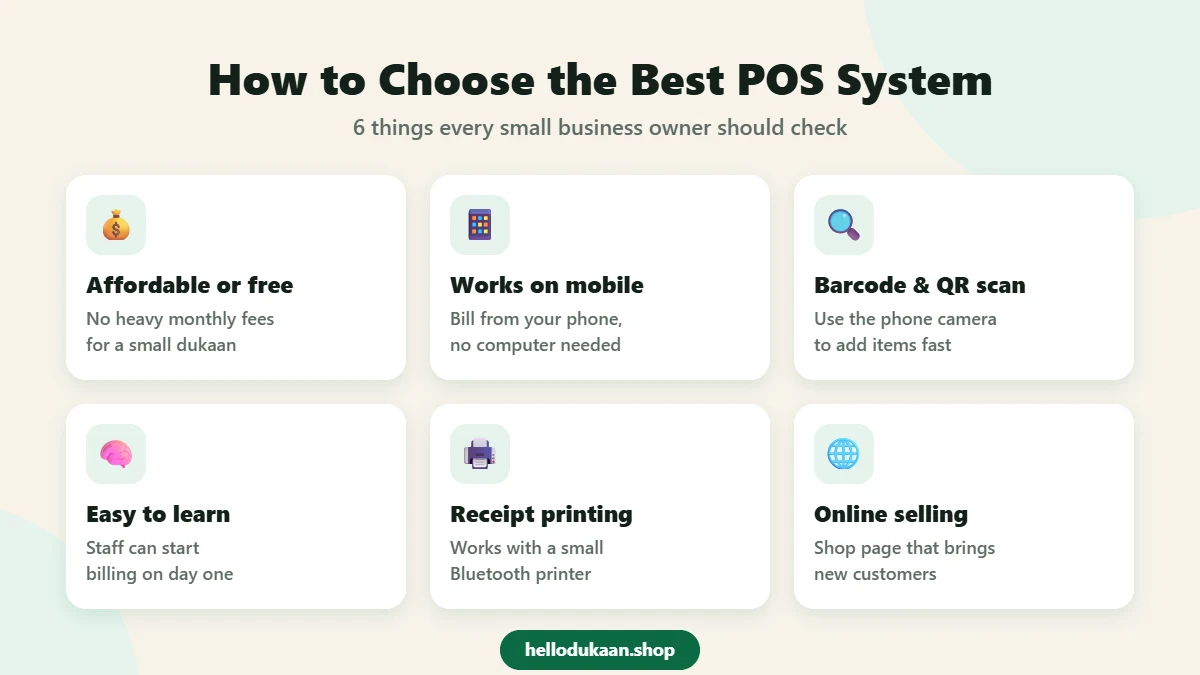
| What to check | Why it matters for your shop |
|---|---|
| Affordable price | A small shop should not pay heavy monthly fees. Start free if possible. |
| Works on mobile | Most shopkeepers use a smartphone, not a computer. |
| Barcode and QR scanning | Scanning with the phone camera saves time and avoids price mistakes. |
| Easy to learn | You and your staff should start billing on day one, without training. |
| Receipt printing | A small Bluetooth thermal printer should work with it. |
| Online selling | A shop page or marketplace listing brings new customers. |
| Local support | Help on WhatsApp from a Pakistani team when you need it. |
A good rule when comparing POS software in Pakistan: if you need a long training session just to make your first bill, that POS software is not built for a busy dukaan.
Hello Dukaan: Free POS Software in Pakistan Made for Dukaans
Hello Dukaan is a free billing app and POS system built specially for small shop owners in Pakistan. It runs on any phone and is simple enough for every shopkeeper to use from the first day.
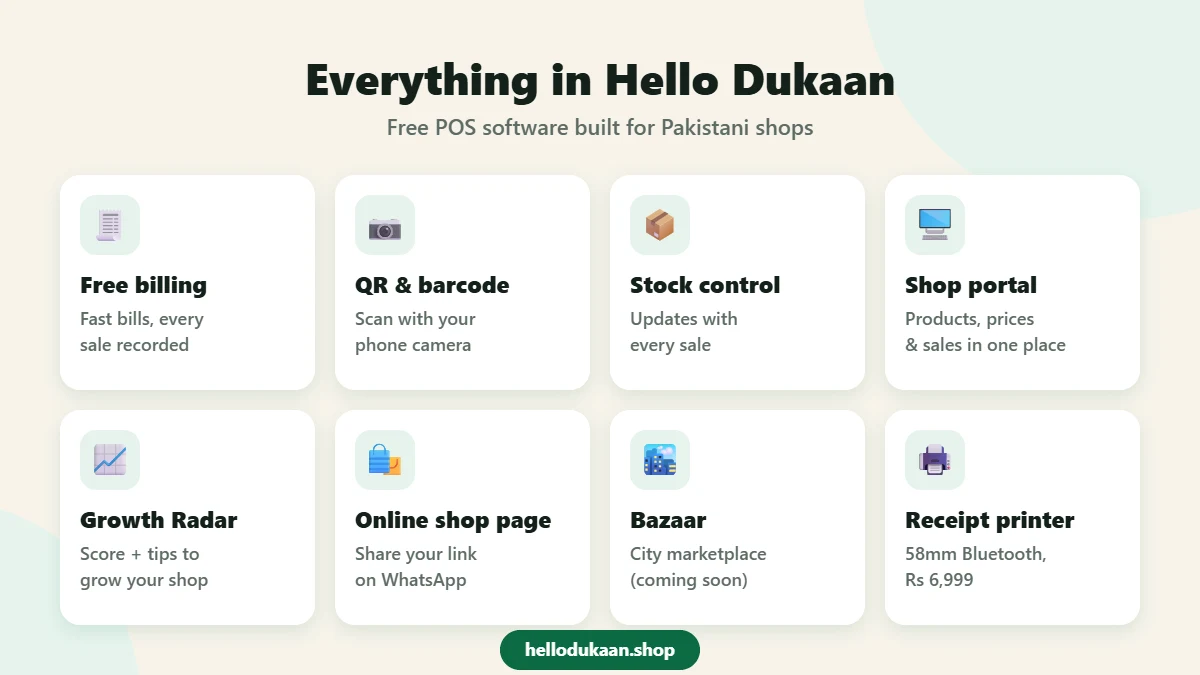
Here is what you get with Hello Dukaan:
- Free billing app: create bills quickly and keep a record of every sale
- QR and barcode scanning: scan products with your phone camera to bill instantly
- Stock management: stock updates with each sale, so you always know what is available
- Shop portal: manage products, prices and sales from one dashboard
- Shop Growth Radar: a score that shows how strong your shop profile is, with tips to improve it
- Online shop page: design your own shop page with a shareable link for WhatsApp and Facebook
- Hello Dukaan Bazaar (coming soon): a city-based marketplace where nearby customers can find your products
- Wholesale section: find suppliers and request quotes on the Hello Dukaan Wholesale Bazaar
- Compatible receipt printer: a 58mm Bluetooth thermal printer, available as a receipt printer for Hello Dukaan POS for Rs 6,999 with free delivery
- Install like an app: add Hello Dukaan to your phone’s home screen directly from the website
Unlike many other options, Hello Dukaan combines billing, stock and online selling in one place. That makes it one of the most practical choices of POS software in Pakistan for small and growing shops.
Which Shops Can Use POS Software?
Almost every retail business can benefit from a POS system. Hello Dukaan, a free POS software in Pakistan, is a great fit for:
- Kiryana and general stores
- Mobile phone and accessories shops
- Cosmetics and beauty stores
- Pharmacies and medical stores
- Stationery and book shops
- Garments, shoes and boutique stores
- Hardware, electrical and paint shops
- Bakeries, sweet shops and dairy shops
If you sell products over a counter and give customers a bill, POS software in Pakistan will save you time and money.
How Much Does POS Software Cost in Pakistan?
The cost of POS software in Pakistan depends on the type of system. Traditional desktop systems often need a computer, a one-time license or setup fee, and sometimes a yearly renewal. Cloud systems usually charge a monthly subscription.
For a small dukaan, these costs add up quickly. That is why a free option is the smartest way to start. With Hello Dukaan, you can sign up and start billing without paying anything. The only optional cost is a receipt printer if you want printed bills.
Common Mistakes When Choosing a POS System
Avoid these mistakes when you compare POS software in Pakistan, so you get the best value from your investment:
- Buying expensive hardware first: start with your phone and add a printer later if needed
- Choosing software that needs a computer: a mobile-first app is easier for a busy counter
- Ignoring stock features: billing alone is not enough; stock control is where you save real money
- Forgetting online visibility: a POS that also puts your shop online brings extra sales
- Not checking support: make sure you can get help quickly on WhatsApp
Tips to Get the Most Out of Your POS Software
Once you start using POS software in Pakistan, these simple habits will help you get maximum benefit:
- Add all products on day one: a complete product list makes billing faster from the first week
- Use barcodes wherever possible: scanning is quicker and avoids typing mistakes
- Set correct opening stock: accurate starting numbers make your stock reports reliable
- Bill every sale: even small sales matter, because they complete your daily picture
- Check reports every evening: five minutes with your sales report helps you plan tomorrow’s stock
- Share your shop page: post your Hello Dukaan link on WhatsApp status and Facebook to attract new customers
- Improve your Growth Radar score: follow the tips in your portal to make your shop more visible
Is POS Software Safe for My Shop Data?
Many shopkeepers worry about putting their sales data on a phone. In reality, digital records are usually safer than a paper register, which can be lost, stolen or damaged by water. To keep your account secure, always use a strong password, do not share your login with people you do not trust, and log out on shared devices. With these basic steps, POS software gives you both convenience and peace of mind.
How to Start Using POS Software in Pakistan in 3 Steps
Getting started with Hello Dukaan takes only a few minutes. You can also read our detailed guide on how to register your shop on Hello Dukaan.
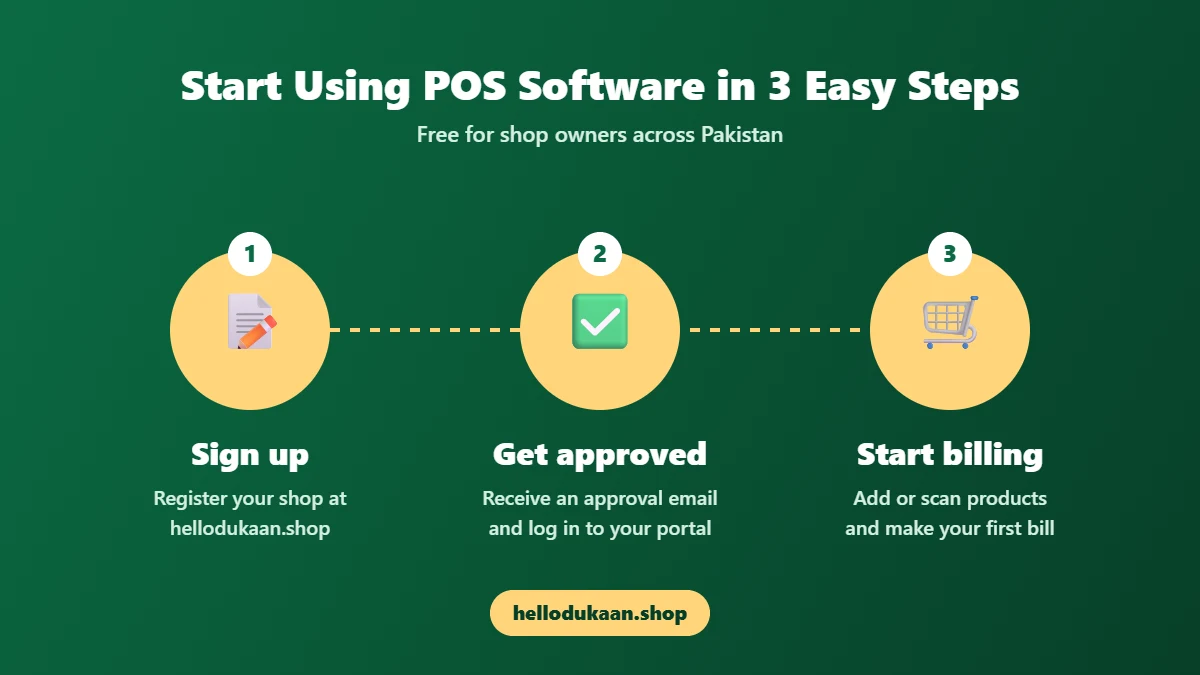
- Sign up: visit hellodukaan.shop and register your shop with your name, phone number and email.
- Get approved and log in: once your account is approved, you will receive an email and can log in to your shop portal.
- Add products and start billing: add items with prices and stock, or scan their barcodes, and make your first bill.
That is it. No computer, no heavy setup fee and no complicated training.
Frequently Asked Questions
Is there free POS software in Pakistan?
Yes. Hello Dukaan offers free POS software in Pakistan for small shops. You can sign up and start billing without any charges.
Can I use POS software on my mobile phone?
Yes. Hello Dukaan works on any smartphone, and you can install it on your home screen like a normal app.
Do I need a separate barcode scanner machine?
No. You can scan barcodes and QR codes using your phone camera.
Can I print receipts with Hello Dukaan?
Yes. Hello Dukaan works with a 58mm Bluetooth thermal receipt printer, which you can order directly through the portal.
Is POS software difficult to learn?
Not with Hello Dukaan. The app is designed for busy shopkeepers, and a new user can create the first bill within minutes.
Which is the best POS software in Pakistan for a small shop?
The best choice is one that is affordable, works on mobile, handles stock and helps you sell online. Hello Dukaan offers all of these for free, which makes it an excellent option for small shops.
Conclusion: Grow Your Dukaan with POS Software
The khata register served Pakistani shopkeepers for generations, but today’s customers expect speed, accurate bills and the option to find your shop online. Choosing the right POS software in Pakistan is one of the simplest and most powerful ways to save time, avoid losses and grow your sales.
Hello Dukaan gives you billing, stock management and an online shop page in one free app, made for the way Pakistani dukaans actually work. Whether you run a small corner store or a busy general store, it takes only a few minutes to set up, and you can start seeing the benefits from your very first day of digital billing.
Ready to modernise your dukaan? Sign up free at Hello Dukaan or message us on WhatsApp at +92 307 9114725.
Products from local shops
Buy stock at wholesale prices
Distributors and wholesalers list their products on Hello Dukaan Wholesale. Send a “Get quote” request and compare prices.
Run your shop on Hello Dukaan
اپنی دکان چلائیں، ہر گاہک تک پہنچیں
Free billing, stock and udhaar khata on any phone — and your products appear on the Bazaar.