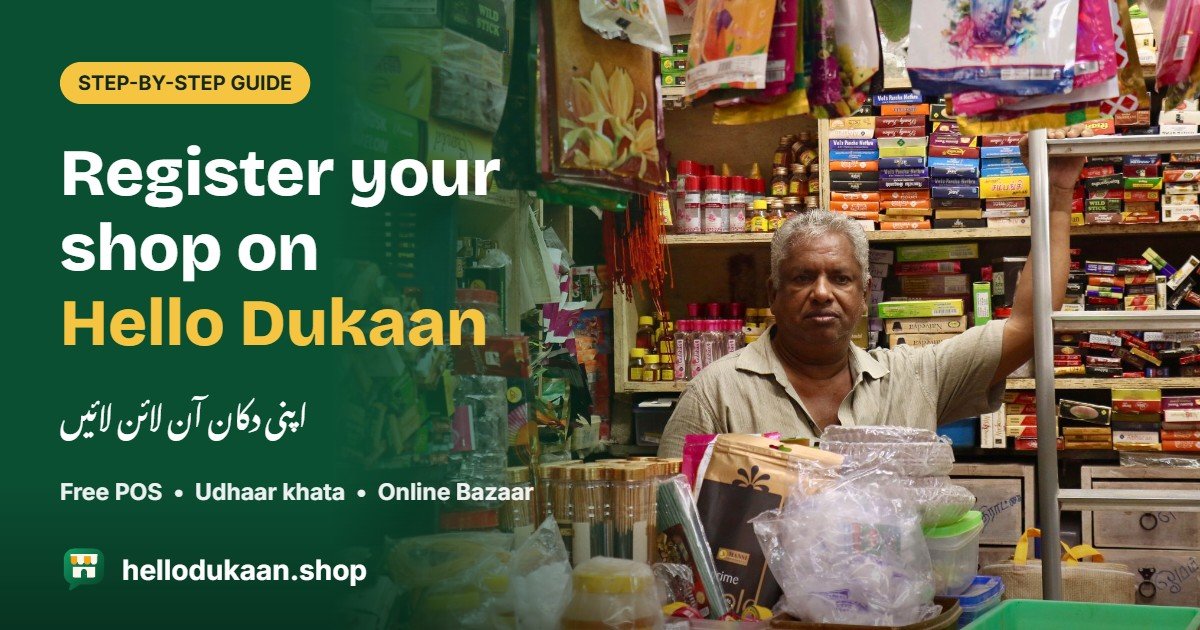
Apni dukaan register karein, aur har gaahak tak pohanchein.
If you run a kiryana store, general store or medical store in Pakistan, you already know the daily routine: writing bills by hand, keeping udhaar in a register, guessing how much stock is left, and waiting for customers to walk in. Hello Dukaan was built to make all of this easier. It gives your shop a free POS (billing system) that works on any phone, and it puts your products online so nearby customers can find you and order on WhatsApp.
In this article, we’ll walk you through how to register your shop on hellodukaan.shop step by step, and explain exactly how your business can benefit from it.
What is Hello Dukaan?
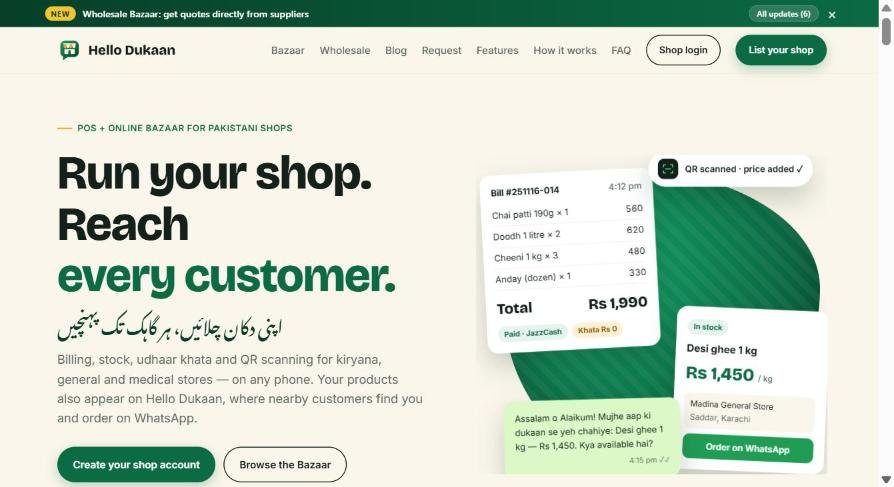
Hello Dukaan is two things in one:
- A POS for your counter – billing, stock, udhaar khata, QR/barcode scanning and sales reports, in Urdu and English.
- An online bazaar – every shop’s products, prices and in-stock status appear on Hello Dukaan, organised by city, so customers near you can search, compare and message you on WhatsApp.
You don’t need a computer, a website or any technical knowledge. If you can use WhatsApp, you can use Hello Dukaan.
How to Register Your Shop: Step by Step
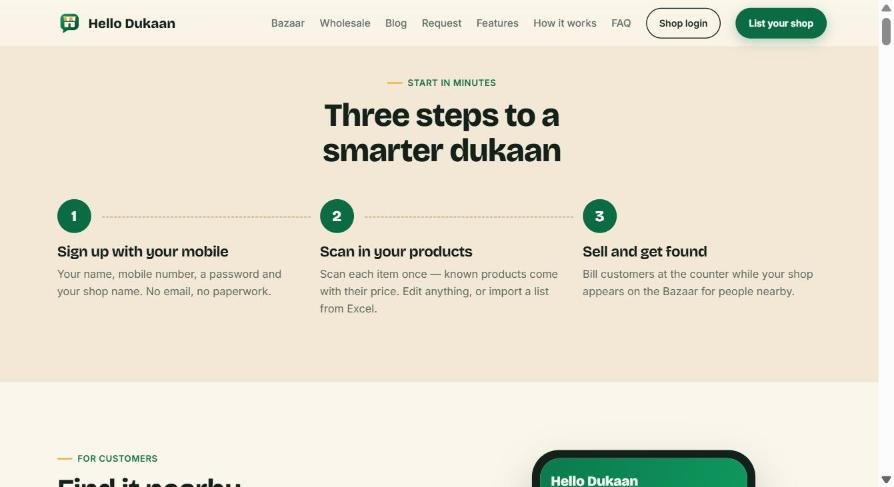
Step 1: Open the website
Go to hellodukaan.shop on your phone, tablet or computer. Tap “List your shop” at the top, or “Create your shop account” on the home page.
Step 2: Fill in your shop details
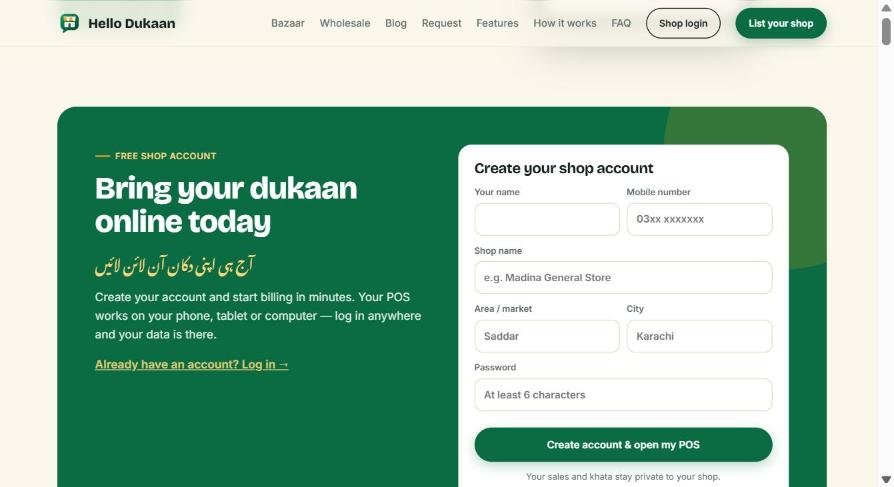
The signup form is short. You only need:
- Your name
- Mobile number – use the number you want customers to contact on WhatsApp
- Shop name – for example, “Madina General Store”
- Area / market – for example, “Saddar” or “Gulshan-e-Iqbal”
- City – choose your city from the list (all major and smaller cities of Pakistan are included)
- Password – at least 6 characters
No paperwork and no complicated documents.
Step 3: Create your account
Tap “Create account & open my POS”. Once your account is active, you can log in any time from Shop login on any phone, tablet or computer.
Step 4: Add your products
This is the fastest part. Open your POS and scan each product’s barcode or QR code with your phone camera. If another shop on Hello Dukaan already sells that product, its name and price fill in automatically – you just confirm or edit. You can also:
- Sell loose items (sugar, rice, daal) by the kilo, gram or litre – even 0.5 kg
- Print your own QR labels for loose items and containers
- Import your whole product list from Excel
Step 5: Start selling – at the counter and online
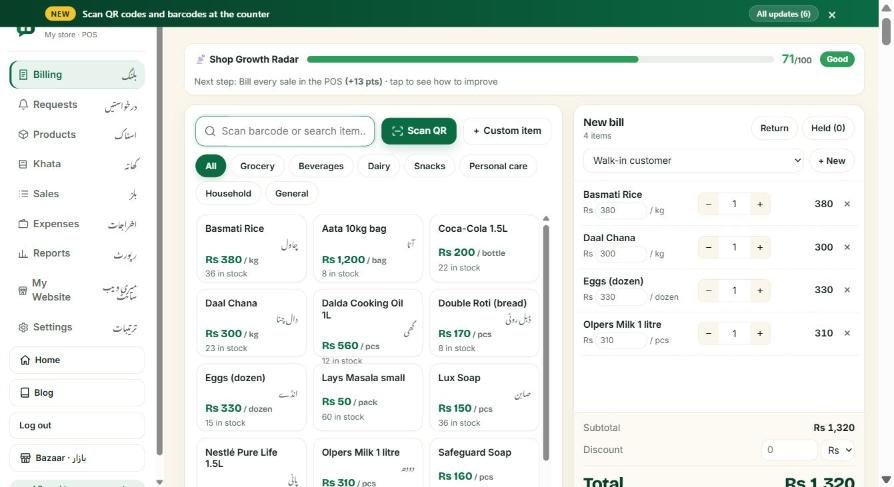
That’s it. Start billing customers at your counter, and your products automatically appear on the Hello Dukaan Bazaar for people in your city.
Tip: Use the AI Dukaan Assistant to set up your shop by voice – just speak in Urdu or English and let it do the work.
How Your Shop Benefits from Hello Dukaan
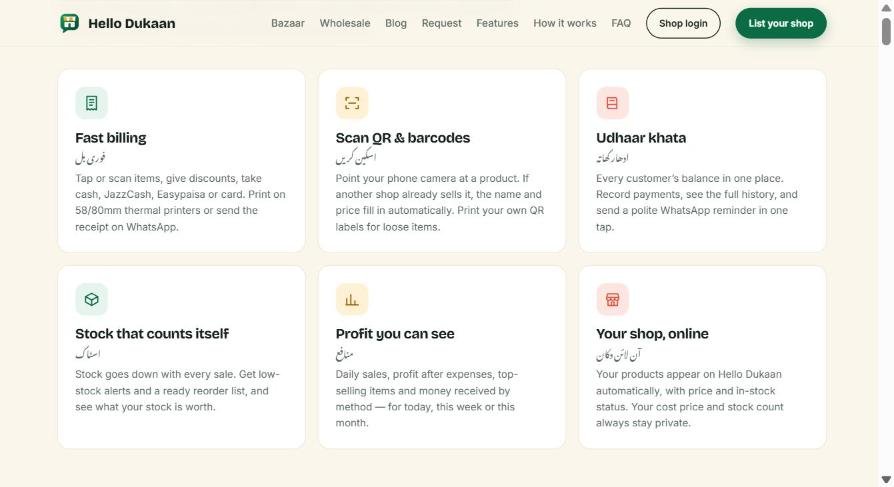
1. Fast, professional billing
Scan or tap items, give discounts, and take payment by cash, JazzCash, Easypaisa or card. Print receipts on a 58mm or 80mm thermal printer, or send the bill straight to the customer on WhatsApp. No more handwritten bills or calculation mistakes.
2. Udhaar khata without the register
Every customer’s balance is saved in one place. Record payments, see the full history, and send a polite WhatsApp reminder in a single tap. Collecting udhaar becomes easier and less awkward.
3. Stock that counts itself
Every sale reduces your stock automatically. You get low-stock alerts and a ready reorder list, so you never run out of fast-selling items – and you can see exactly how much your stock is worth.
4. See your real profit
Check daily sales, profit after expenses, top-selling items and payments received by method – for today, this week or this month. Make decisions based on numbers, not guesses.
5. Your shop goes online – for free
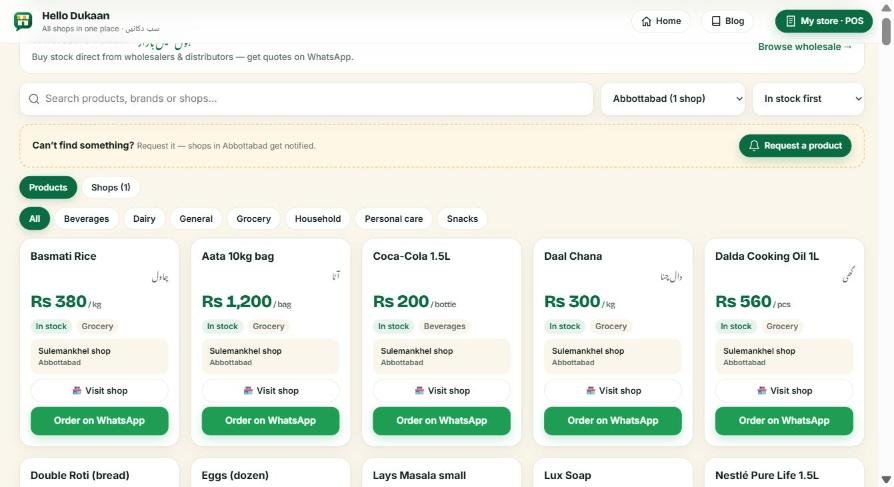
Your products appear on the Hello Dukaan Bazaar with their price and in-stock status. Customers in your city can search for a product, compare prices, and send you an order on WhatsApp with the message already written. Your cost price, profit, sales and khata always stay private.
6. Get customer requests directly
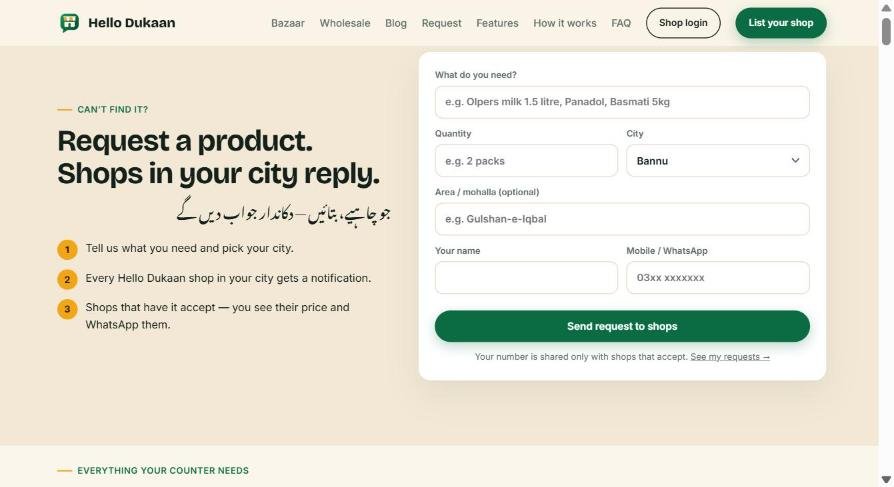
When a customer can’t find something, they can post a product request for their city. Every Hello Dukaan shop in that city gets notified. If you have it, accept the request and share your price – the customer then contacts you on WhatsApp. That’s a new sale you would never have known about.
7. Buy stock at better rates through the Wholesale Bazaar
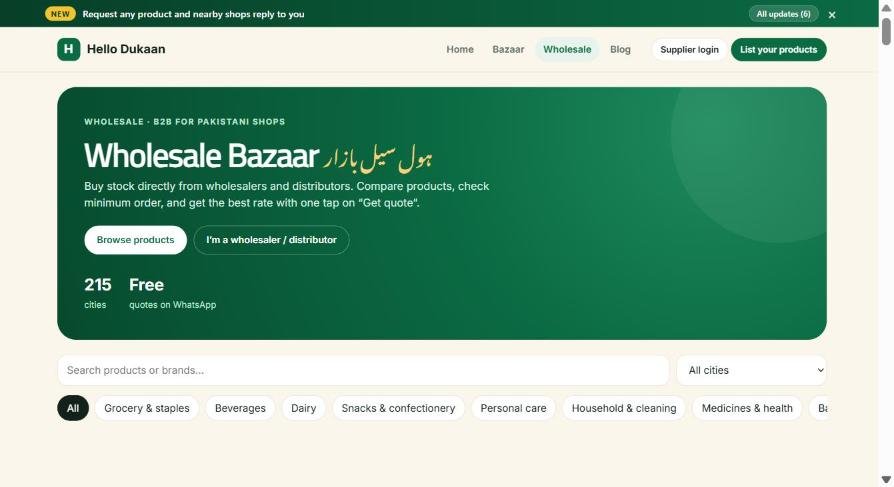
The Wholesale Bazaar lets you browse products from wholesalers and distributors, check minimum orders, and tap “Get quote” to ask for their best rate. Compare suppliers and buy smarter for your shop.
8. Grow with the Shop Growth Radar
Inside your portal, the Shop Growth Radar gives your shop a score out of 100 and simple tips on how to improve it – for example, billing every sale in the POS or keeping your products up to date. A stronger shop profile helps more customers find you.
9. Works on any device, anywhere
Your POS works in the browser on any Android phone, iPhone, tablet or computer. Log in from anywhere and your data is there – and you can download a backup from Settings at any time.
Frequently Asked Questions
Do I need a computer?
No. Hello Dukaan works fully on a smartphone.
Can customers see my cost price or profit?
Never. The Bazaar only shows your product name, sale price and whether it is in stock.
Can I use my barcode scanner and receipt printer?
Yes. USB and Bluetooth barcode scanners work straight away, and receipts are sized for 58mm and 80mm thermal printers.
What if I sell loose items like sugar or rice?
Sell in kilos, grams or litres with decimals (like 0.5 kg), or print QR labels for your containers.
Can I hide my shop from the Bazaar?
Yes. Turn off the Bazaar listing in Settings, or hide individual products, and keep using the POS privately.
Register Your Shop Today
More and more customers check online before they buy – even for everyday items. With Hello Dukaan, your shop can be there when they search, while you run your counter more smoothly than ever.
آج ہی اپنی دکان آن لائن لائیں – Bring your dukaan online today.
Need help registering? Contact us:
- WhatsApp: +92 307 9114725
- Email: info@hellodukaan.shop
- Facebook: Hello Dukaan
Products from local shops
Buy stock at wholesale prices
Distributors and wholesalers list their products on Hello Dukaan Wholesale. Send a “Get quote” request and compare prices.
Run your shop on Hello Dukaan
اپنی دکان چلائیں، ہر گاہک تک پہنچیں
Free billing, stock and udhaar khata on any phone — and your products appear on the Bazaar.
[…] Getting started with Hello Dukaan takes only a few minutes. You can also read our detailed guide on how to register your shop on Hello Dukaan. […]